Estimated reading time: 9 minutes
Overview
Construction resource scheduling software is a specialized tool used to manage the simultaneous allocation of people, machinery, and vehicles across multiple project sites. By replacing manual spreadsheets with a central, visual timeline like Ganttic, construction firms can track real-time availability, manage certifications and technical features via custom Data Fields, and sync office plans with field crews through mobile app updates. The result is fewer double bookings and reduced downtime.
Construction projects rarely go exactly as planned. Delayed deliveries, operators needed on two sites at once, equipment changes that nobody has updated yet. These are everyday realities, not edge cases, and the right construction resource scheduling software needs to keep up with all of them. In this article, we explore what construction teams need from a scheduling platform and examine how Ganttic meets these needs.
What makes construction scheduling different
Construction operations are not a single-location, single-team challenge. Most organizations run multiple projects simultaneously, each with its own mix of people, machinery, vehicles, and subcontractors. Timelines are interdependent. A delay on one site creates a ripple effect across the portfolio.
The scheduling challenge in construction is rarely “what needs to happen.” It is who and what is actually available to make it happen, right now, given everything else that is running.
Most task-based tools fall short here. They tell the construction teams what is planned. They do not tell them whether the resources behind that plan are available, overloaded, or already committed elsewhere.
That gap is where things go wrong. Double-bookings happen not because managers are careless but because availability is invisible. Equipment sits idle because nobody could see it was free. A certified operator gets assigned to a new project without anyone realizing they were already at capacity.
Spreadsheet chaos construction companies face
For many construction teams, the process starts with spreadsheets. A tab for people, another for equipment, maybe a third for project timelines. For a small operation with limited overlap, this works.
As the portfolio grows, it stops working fast.
How Ganttic addresses these issues
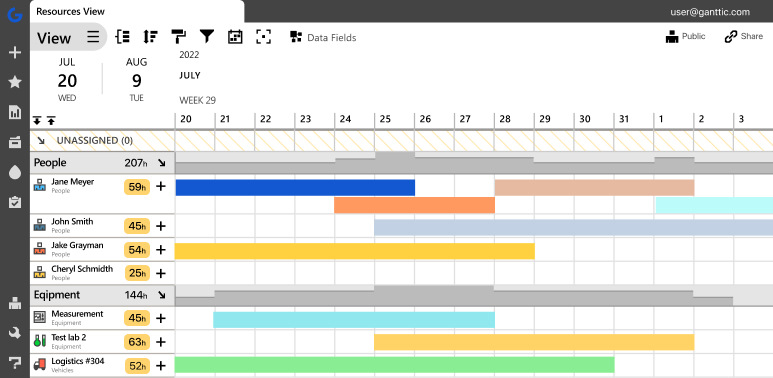
As a flexible resource planning tool, Ganttic brings people, equipment, facilities, and any other resource type onto a single drag-and-drop Gantt timeline. Availability is visible across all active projects at once, so conflicts surface before they become problems rather than after.
The dual planning views are central to this. The resource view shows how each person or piece of equipment is allocated across the entire portfolio. The project view shows how each project is staffed and equipped against its timeline. Teams can switch between the two instantly, giving both operations leads and project managers the perspective they actually need.
Custom data fields let teams go further. Certifications, equipment categories, site locations, skill sets, and departments can all be attached to resources and used as filters when planning. This means finding the right person with the right qualification for the right site becomes a quick search rather than a manual check across multiple systems.
Real-time updates ensure that when a plan changes in the field, the schedule reflects it on the online gantt chart immediately.
For teams managing workers across multiple sites, the Ganttic mobile app keeps field crews connected to the schedule in real time.
Workers can check their daily assignments, see where they need to be, and receive instant notifications when plans change. No calls back to the office, no outdated printouts, no confusion on site. For construction operations where last-minute changes are routine, having that direct line between the planning desk and the field is not a nice-to-have. It is what keeps the day running.
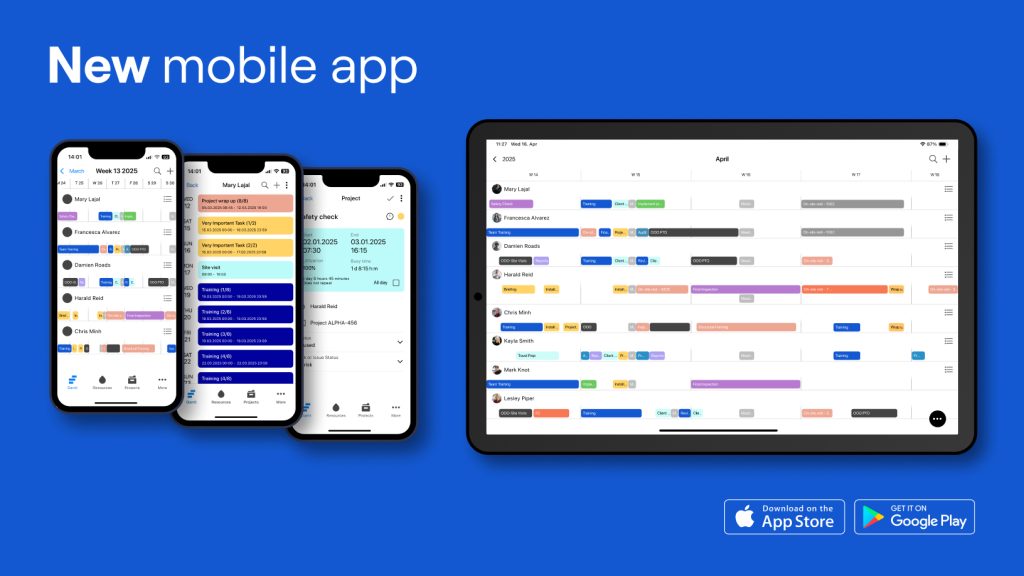
Download in Google Play Store & App Store
Construction companies that have preferred Ganttic
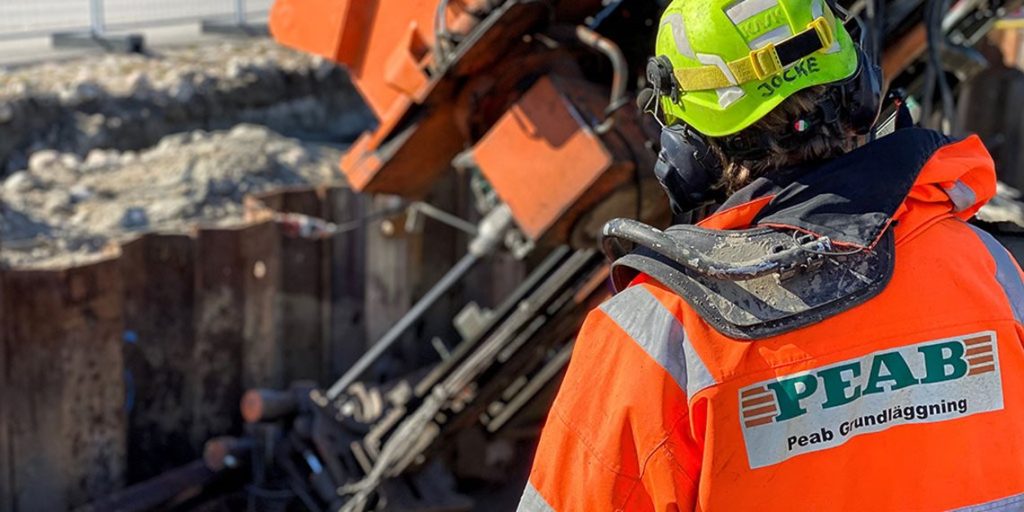
Johan Hjortbrink, Chief Project Manager at Peab Grundläggning, one of Sweden’s leading construction firms, recognized this moment clearly. His team was managing people and equipment across four regional offices and the spreadsheet system had run its course.
Read the case study: Peab Grundläggning – Simplifying Scheduling in Construction to learn more about how the company has significantly improved their workflows with Ganttic.
When Johan moved to Ganttic, the shift was immediate. The key was not just replacing spreadsheets but doing it in a way that matched how his team actually worked.
- Custom color coding let them visually link equipment to the operator certified to use it.
- Resource data fields indicated skills, departments, and equipment types.
- When plans changed in the field, notifications went out instantly to workers via the mobile app.
The result was faster scheduling, fewer conflicts, and a clearer picture of capacity before committing to new work.
Seeing people and equipment in the same place
One of the most common gaps in construction scheduling tools is that they are built around people. Equipment, vehicles, and facilities are either an afterthought or managed in a separate system entirely.
In construction, that separation creates real operational risk. A project that requires a specific crane and a certified operator is not just a staffing question. It is a resource pairing question. You need to see both constraints at the same time, in the same place.
Ganttic handles this natively. People, equipment, rooms, and any other resource type sit on the same Gantt timeline.
You can plan a job, see whether the right machine is available, confirm the operator has the required certification, and allocate both in the same workflow.
This becomes even more valuable at scale. Helge Biernath, CEO of Sunstall, a solar construction firm operating across the United States, described exactly this challenge when his team was managing dispersed resources across multiple project locations:
From a planning perspective, we had to understand where our resources are, and how we can schedule them.
From a planning perspective, we had to understand where our resources are, and how we can schedule them.
Sunstall began using Ganttic in 2015 and has grown its resource pool fivefold since. The platform’s dual views, switching between a resource view and a project view, became central to their daily operations meetings.
As Helge put it: “Different people from all over the company can look from different angles and get the most up to date information about their job.”
That cross-department visibility, where project managers, operations leads, and logistics teams all work from the same live data, is what prevents the coordination gaps that cost construction teams time and money.
What to actually look for in construction resource scheduling software
When evaluating construction resource scheduling software, it helps to move past the feature comparison grid and ask operational questions instead.
Can you see people and equipment together? If your tool separates resource types, you will always be reconciling information across systems. Look for a platform where all resource types share the same timeline.
Does it show real availability, not just planned allocation? Schedules in construction change constantly. The tool needs to reflect current reality, not a snapshot from last week’s plan.
Can you filter by what actually matters to your operation? Certifications, equipment categories, site locations, departments. These are the attributes that determine whether a resource is actually suitable for a task. Custom data fields let you build these filters into the tool rather than keeping them in someone’s head.
Does it scale with your resource pool? A tool that works for 15 resources may not work for 650. Ganttic is built to handle large resource pools without losing clarity at the individual level.
Can different people use it for different purposes? Project managers need a project view. Operations leads need a capacity view. Equipment managers need to see utilization. A good scheduling tool serves all of these without requiring separate platforms.

Planning for what has not been confirmed yet
One of the more underappreciated challenges in construction scheduling is planning for incoming work that is not yet confirmed. You need to hold capacity tentatively without blocking confirmed projects or giving teams false information about availability.
Peab Grundläggning built their own system within Ganttic for handling preliminary tasks, giving them a reliable way to assess whether they had the people and machinery to take on new work before committing. That kind of forward visibility, knowing your real capacity before saying yes, is what separates reactive scheduling from proactive operations management.
Ganttic: A tool that adapts to how you work
No two construction operations are the same.
Civil engineering teams deal with geographic complexity and site-specific certification requirements. Engineering services firms run dense, overlapping short-term schedules where utilization directly affects revenue. Solar and renewable energy contractors manage dispersed teams and logistics across regions.
What these operations share is the need for a scheduling tool that adapts to their workflows rather than forcing them into a generic structure. Ganttic’s custom data fields, flexible views, and support for any resource type make it a platform that can be configured to reflect how your operation actually runs.
As Johan from Peab noted, the success of their implementation came down to flexibility: not just a centralized system for planning people and equipment, but the ability to do it their own way.
Practical, smart way of pricing: Pay for the number of resources, add as many users as you want
If you are evaluating construction resource scheduling software and want to see how Ganttic fits your team’s workflow, there are two good ways to get started.
Pricing is resource-based, all features are included across all tiers, and users including collaborators and clients are free.
Start a free 14-day trial, no credit card required, and explore Ganttic at your own pace!
Or book a demo if you would rather walk through it together and see how it fits your operation directly.
Written by
Gökçe Karabay
Marketing Lead at Ganttic