Why portfolios break at the resource layer
Most portfolio failures start as capacity problems that surface too late. A project gets approved, a delivery date is set with the client, and only afterward does anyone check whether the specialists involved have room in their schedules. By then the commitment is public, and the schedule has to absorb the damage.
What to look for in top resource planning software for PPM
Portfolio and resource views of the same data
You need to move between two questions without rebuilding anything: what is happening on this project, and what is this person or machine committed to across everything. Tools that only answer the first leave you reconstructing the second by hand.
Non-human resources treated as first class
If your portfolio depends on labs, vehicles, rigs, or meeting rooms, a tool built purely around headcount will send half your planning back into spreadsheets.
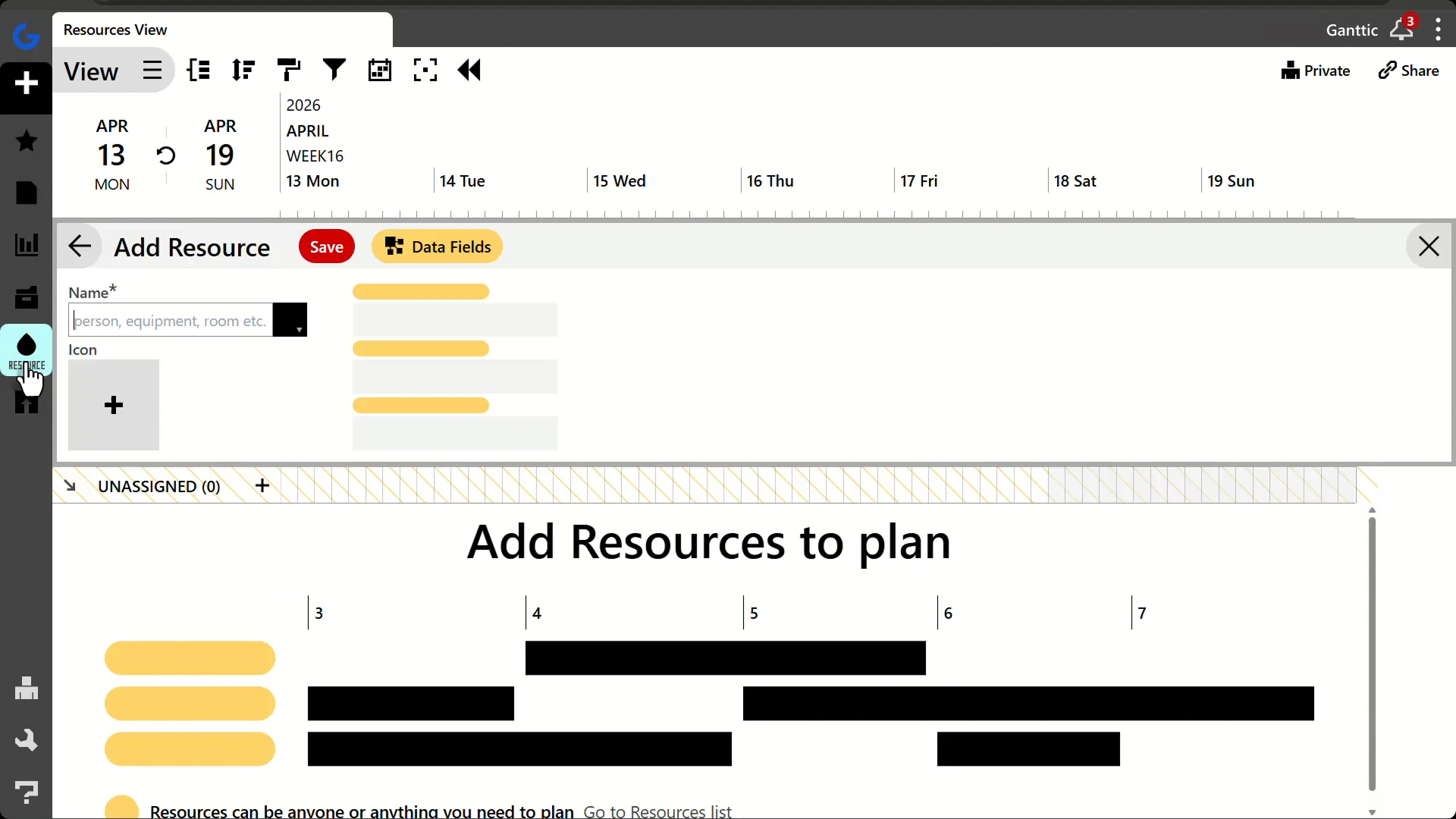 You can easily add a Resource to your Ganttic planner, be that a team member, a crane, or a facility room.
Capacity forecasting before you commit
The useful moment is before the contract is signed. Look for the ability to sketch an unconfirmed project against current bookings and see where it collides.
Utilization you can act on
Utilization tracking only changes decisions when it appears while you schedule. In a monthly report, it is a postmortem.
Access for people who do not plan
Field crews, clients, and executives need to see the plan without editing it. When every viewer costs a license, organizations ration access, and the plan stops being a shared reference.
Integration with your systems of record
ERP, HR, and finance data should reach the planner through an API rather than being retyped by someone on a Friday afternoon.
Top resource planning software for project portfolio management in 2026
| Tool | Best for | Resource planning strength | Non-human resources | Pricing model | Free plan / trial |
|---|
| Ganttic | Mixed resource portfolios, SMBs through enterprise | Resource-first portfolio and capacity planning | Native, priced the same as people | Per resource, unlimited users, from $25/month | Free up to 10 resources. Self-serve 14-day trial, no credit card |
| Planview Portfolios | Large PMOs with financial governance | Scenario and investment capacity planning | Limited | Custom quote | No public trial. Demo request only |
| Kantata | Consultancies and agencies | Skills and margin-based staffing | No | Custom quote | No public trial. Personalized demo only | |
| Smartsheet | Spreadsheet-native organizations | Paid add-on, not core | Limited | Per user, from $9/month | Free plan. Self-serve trial |
| Celoxis | Mid-market PMOs | Resource loading with financials | Limited | Per user, from $10/month (5-user minimum) | Self-serve 14-day trial |
| Epicflow | Engineering and R&D portfolios | Dynamic prioritization, bottleneck prediction | Partial | Per user, from €22.50/month (20-user minimum) | 20-user minimum on Growth |
List prices as published by each vendor, October 2026.
1. Ganttic
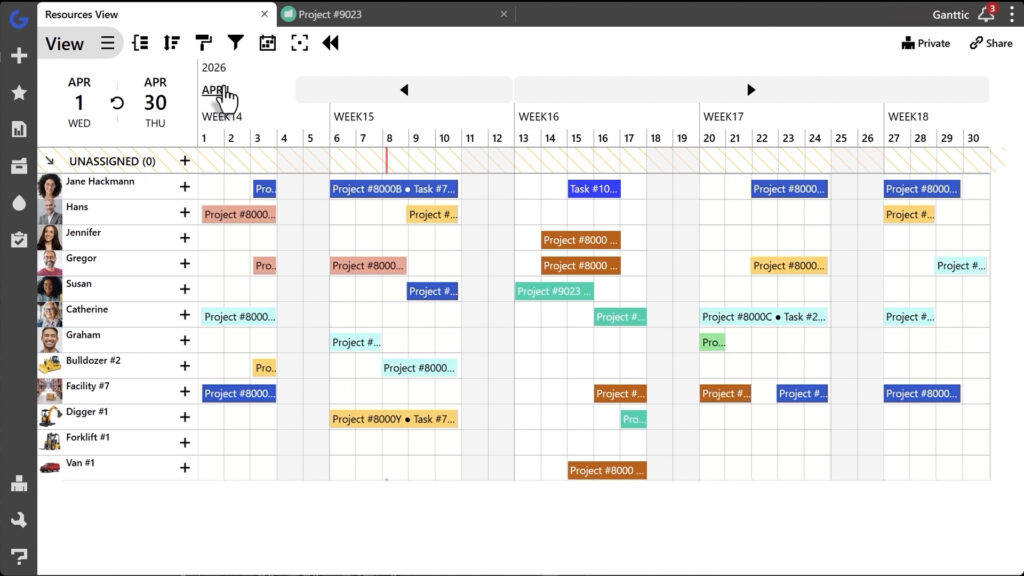
Ganttic is a dedicated resource planner for organizations running several projects against one shared pool of resources. The defining trait is that the resource, rather than the task, is the unit of planning. The same underlying data can be read as a timeline of what each resource is committed to, as a portfolio-wide picture of every project at once, or as the breakdown of a single project, and switching between them requires no duplicate entry.
Key capabilities
- Portfolio and resource timelines with drag and drop rescheduling
- Unassigned and draft tasks for pricing up work before capacity is committed
- Real-time utilization for individual resources, groups, and entire portfolios
- Custom Views so each department, site, or role sees only its own slice of the plan
- Custom data fields for skills, certifications, technical specs, and budgets
- Cross-portfolio dependencies and milestones
- Ganttic API, Zapier, Google Calendar and Outlook Calendar sync
- Mobile access for field teams on Android and iOS
Where it fits well
Mixed resource pools are the clearest case. Staff, machinery, vehicles, workshops, and test equipment all occupy the same timeline and carry the same cost to plan with, which suits engineering, construction, testing, and industrial portfolios where the binding constraint is usually a machine rather than a person.
EDAG Group, a global engineering services firm, runs its Fulda test center across 10 user groups and three teams. That setup pulls project data from SAP through the API, and the team reclaimed at least 25% of its planning time after moving off spreadsheets.
The EDAG team plans no people at all. Climate chambers, shakers, and specialized test benches are the resources, one of which might be booked for a single continuous 2,000-hour environmental test while another needs task-by-task scheduling the same week. Tools that force one row per task instead of one row per resource cannot hold that structure, which is what sent the team looking in the first place.
Aristotle University’s Laboratory of Applied Thermodynamics coordinates more than 50 staff alongside its testing sites and heavy machinery.
RATP Group’s operational development agency, Peab Grundläggning, and Finland’s Port of Hanko sit between those two extremes. The Port of Hanko has used Ganttic for 13 years to schedule more than 1,200 vessel calls a year. Organizations running several business units can combine them under Enterprise plans.
Support is worth factoring into the comparison. Ganttic offers personalized demo sessions and free support demo calls, which you can book as often as you need, during your trial and after you buy.
“At some point, we needed software allowing us to be more accurate, and to assign resources faster and accessible online. Ganttic covers our needs.”
Fred Lavenaire, Head of Bus and Light Railway, ADO (RATP Group). Read the case study
Where it fits less well
Ganttic tracks budgets and contractor rates, but it is not a billing or invoicing platform, and it does not attempt the formal stage-gate approval workflows that heavyweight enterprise suites build their governance around.
Pricing
Resource-based rather than per seat.
The free plan covers up to 10 resources with every feature except API access. Paid plans start at $25 per month for 20 resources, then $149 for 150, $379 for 500, and $599 for 1,000.
Pools above 1,500 are quoted individually. Because the price is set per tier rather than per head, the cost per resource falls as you scale, from roughly $1.25 a month at 20 resources to about $0.60 at 1,000. User seats are uncapped on every tier, so bringing clients, crews, and stakeholders into the plan has no effect on what you pay. The 14-day trial includes all features.
“We use Ganttic to forecast our project portfolio, not daily tasks. It is simple to learn and easy to use. Not bloated with bells and whistles that make other software difficult and expensive.”
Bryan H, Architect.
2. Planview Portfolios
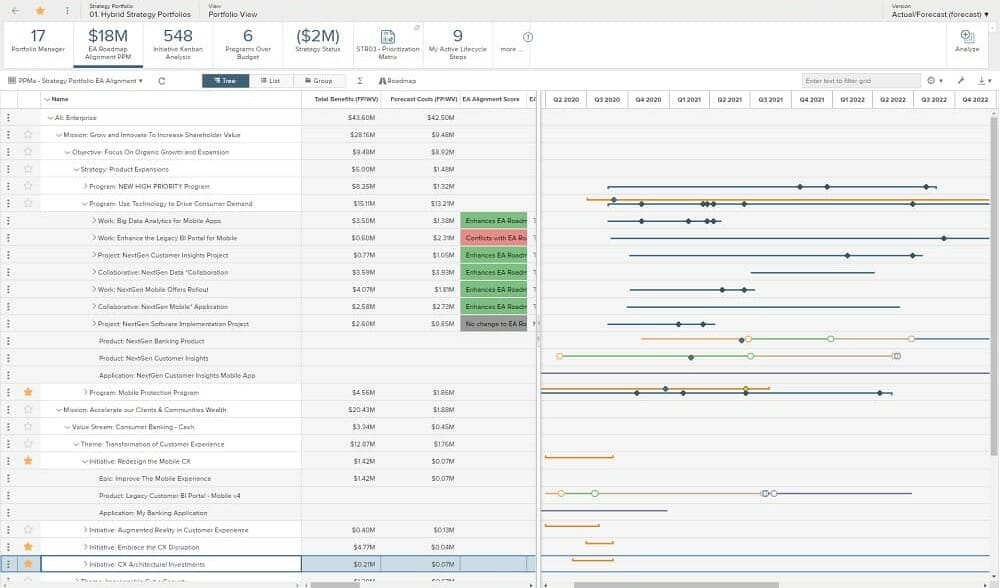
Planview is the reference point for enterprise PPM, covering portfolio prioritization, investment planning, scenario modeling and financial governance across traditional, agile, and hybrid delivery.
Where it fits well
Large PMOs where portfolio decisions carry real financial governance requirements. The resource management module is genuinely deep, handling role-based demand and long-range capacity scenarios alongside funding decisions.
Where it fits less well
Implementations are consultant-led and the product assumes a mature PMO is already in place to feed it. Smaller teams rarely get value proportional to the effort.
Pricing
Custom quote.
3. Kantata
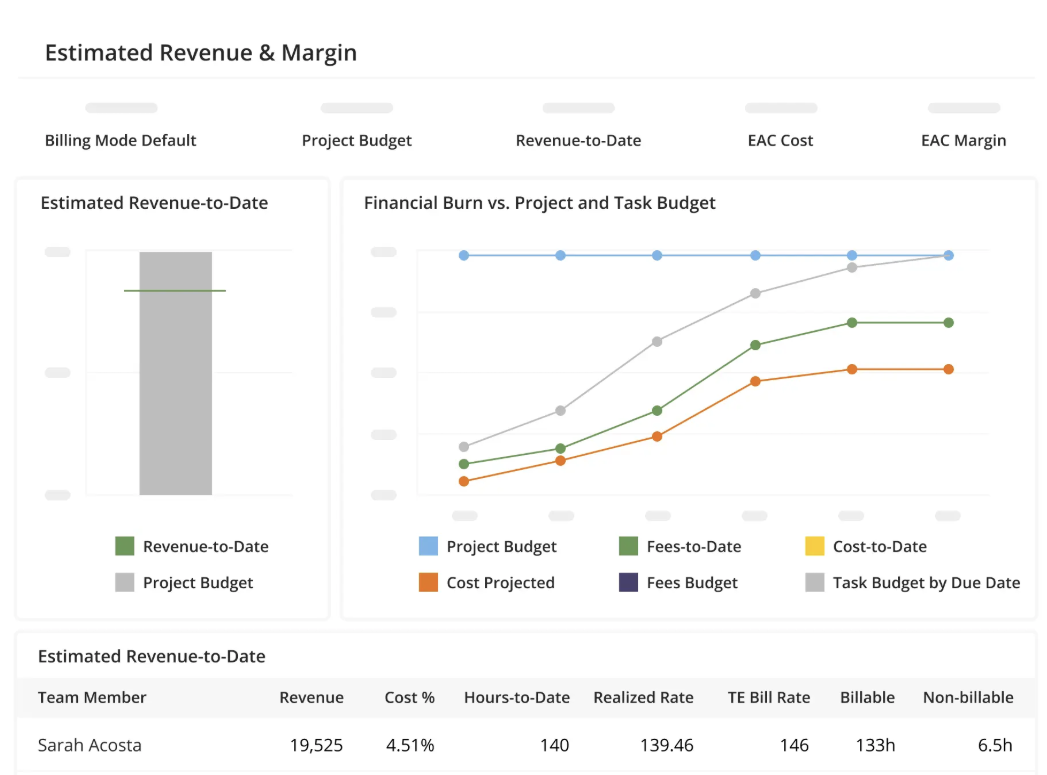
Kantata is a professional services platform built around billable capacity, where resource management works on skills, availability, and margin at the same time.
Where it fits well
Consultancies and agencies whose portfolio is client work and whose utilization directly drives revenue. Staffing decisions happen with project profitability already in view.
Where it fits less well
The model assumes people are the resource being sold, so portfolios that hinge on equipment and facilities are a poor match.
Pricing
Custom quote.
4. Smartsheet
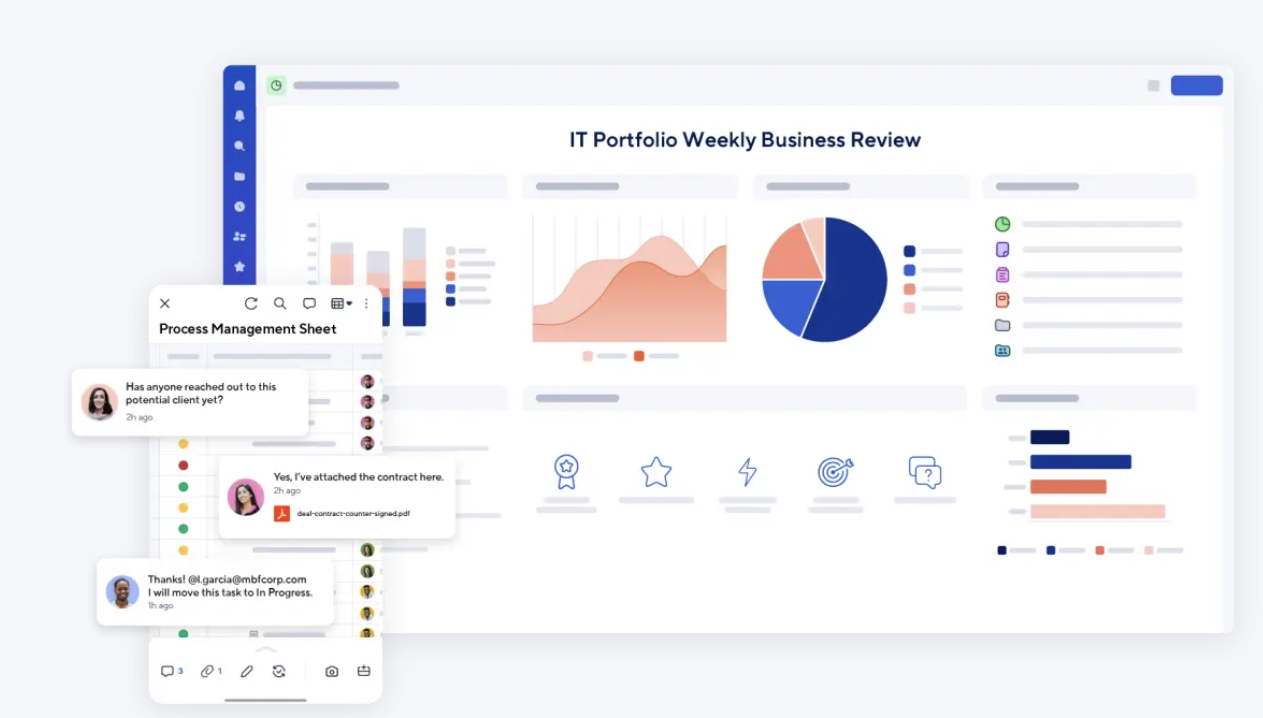
Smartsheet suits organizations that think in grids, with portfolio rollups, dashboards, and approval workflows layered on a familiar spreadsheet interface.
Where it fits well
Teams moving off Excel who want portfolio reporting without retraining everyone. Adoption friction is low because the interface is already familiar.
Where it fits less well
Resource Management is a paid add-on rather than a core feature, and it is not available on the Pro plan at all. Business and Enterprise customers buy it separately, or move to the Advanced Work Management plan, which is quoted. If capacity planning is the reason you are evaluating it, price that in before comparing.
Pricing
Pro is $9 per user per month and Business is $19, both billed annually, with a three-user minimum on Business. Enterprise and Advanced Work Management are quoted. Resource Management costs extra on every tier that offers it.
5. Celoxis
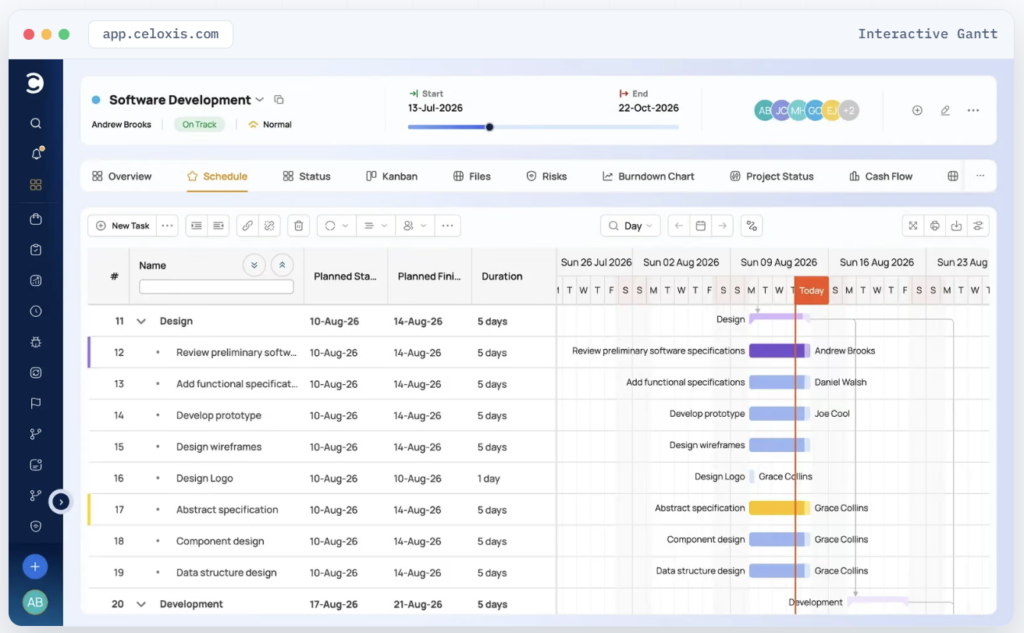
Celoxis is a mid-market PPM platform combining portfolio dashboards, resource loading and project financials, covering intake, prioritization, costing, and executive reporting.
Where it fits well
PMOs that have outgrown lightweight tools but do not want an enterprise implementation program. Resource planning and project financials arrive in the same place.
Where it fits less well
The interface shows its age in places, and resource planning starts on the Essentials tier rather than the entry plan, so the real cost is higher than the headline.
Pricing
From $10 per user per month for Core, with Essentials at $25, Professional at $35, and Business at $45, prepaid annually. Enterprise is quoted.
6. Epicflow
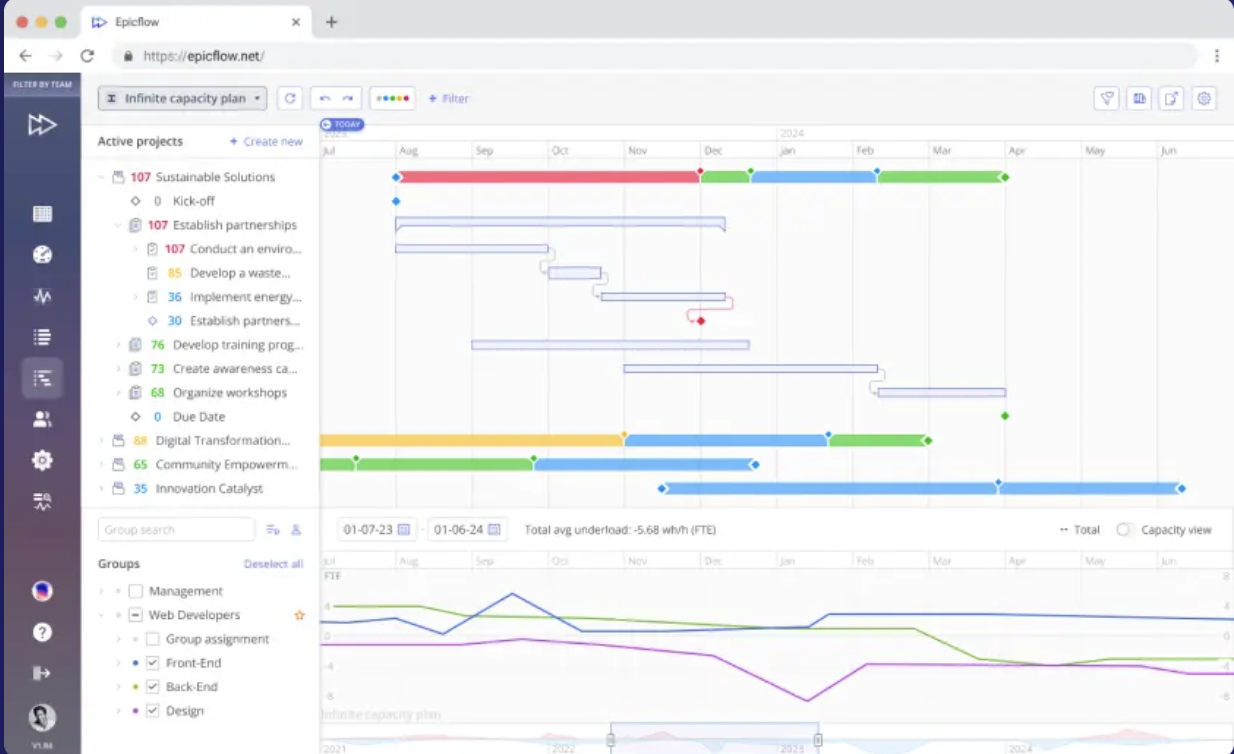
Epicflow targets one specific problem: several projects competing for the same specialists. It applies dynamic prioritization and bottleneck prediction across the portfolio, recalculating priorities as conditions change.
Where it fits well
Engineering, R&D, and manufacturing portfolios with chronic resource contention, where the question is less what the plan says and more who should be working on what this week.
Where it fits less well
The approach is opinionated, since the system directs priorities rather than simply displaying your plan. Teams that want a planner they control will find it uncomfortable.
Pricing
Growth is €25 per user per month, or €22.50 billed annually, and it carries a 20-user minimum for up to 50 projects. That puts the floor at roughly €450 a month before anyone evaluates whether the approach fits. Enterprise is quoted and starts at 50 users.
Choosing between them
These tools answer different questions.
Five of the six reached resource planning from somewhere else: governance, project financials, billable margin, algorithmic prioritization, or spreadsheets. That origin shapes what each one is good at, and it is worth knowing before you start booking demos.
- Choose Planview if the real requirement is investment governance: funding gates, stage approvals, and board-level portfolio reporting, with the consultant-led rollout that comes attached.
- Choose Celoxis if costing, billing, and project financials need to sit inside the same tool as the schedule.
- Choose Kantata if your portfolio is billable hours and margin is the number that decides everything.
- Choose Epicflow if you want an algorithm to set priorities for you and recalculate who works on what as conditions shift.
- Choose Smartsheet if what you are really after is a spreadsheet platform with automation and approval workflows layered on top.
Why Ganttic is the top resource planner for PPM (for some portfolios)
Ganttic takes a different route. Instead of bolting resource planning onto a governance suite or a spreadsheet engine, it makes the resource the organizing principle of the whole portfolio, then scales in whatever direction the operation demands. The dimensions, the complexity and the day-to-day usability bend to your workflow rather than forcing your workflow into someone else’s template.
On the surface that looks simple: every person, machine, vehicle, room, and piece of test equipment on one timeline, across every project, rearranged by dragging. Underneath sits the depth that makes it hold up at scale.
Custom data fields carry the skills, certifications, and technical specs that decide who can actually do the work. Custom Views give ten departments ten versions of the same plan, with permissions governing who edits and who only reads. Utilization recalculates live while you schedule.
Drafts and unassigned tasks let you model a project you have not won yet and see what it would cost you in capacity. Dependencies hold a testing sequence in order across the portfolio.
The API ties the whole thing to SAP, your ERP, or your HR system.
That range is why one product serves a 50-person university laboratory and a 4,000 square meter engineering test center, and why it behaves the same way at 10 resources as at 1,500.
There is no implementation program to budget for, no per-seat charge when another manager or crew member needs to see the plan, and no algorithm reordering priorities behind the planner’s back. Demo and support sessions are free and unlimited.
So the question is which problem is actually stalling your portfolio. If it is approvals and funding, the heavier platforms earn their cost. If the problem is that nobody can see where capacity has already been committed, Ganttic solves that faster and keeps solving it as the portfolio grows.
“Ganttic is very intuitive and all the Views are there just with a few clicks.”
Daniel Ton, Test Engineer, EDAG Group. Read the case study
See your whole portfolio on one timeline. Start a free 14-day trial, or book a demo and we will walk through your resource pool with you!
FAQ
Project management software delivers one project: tasks, dependencies, deadlines, and progress within an agreed scope. PPM software works a level above, comparing every active and planned project so you can prioritize, sequence, and resource them together. The difference shows up most clearly in resourcing, because only a portfolio view reveals that two projects have booked the same specialist for the same week.
Capacity is what a portfolio actually spends. Approving a project commits particular people and equipment for particular periods, and when those commitments are invisible across the portfolio, delivery dates rest on assumptions rather than availability. Wellingtone’s 2026 research puts on-time delivery at 36%, and found 72% of project professionals still assembling their reports by hand every month.
Some can. Most PPM platforms are designed around headcount and handle physical assets as an afterthought. Ganttic plans staff, machinery, vehicles, workshops, and specialized equipment on one shared timeline, with no price difference between a person and a machine, which is why it turns up in testing labs, ports, construction, and engineering operations where the bottleneck is rarely a person.
Both. Smaller teams can start free with up to 10 resources, while global engineering firms, transport operators, and construction groups run it across multiple sites, using Custom Views to give each team its own slice and the API to connect systems like SAP. Enterprise plans cover organizations running several accounts. There is more detail on the range in this piece on how university labs through to global enterprises use it.
It depends on the pricing model more than the feature list. Per-seat tools like Smartsheet and Celoxis start around $9 to $10 per user per month, but the bill grows with every person who needs access, and resource management is often an extra. Resource-based tools charge for what you schedule instead: Ganttic starts at $25 per month for 20 resources with unlimited users, and the cost per resource drops at each larger tier. For a portfolio with many viewers and a fixed resource pool, that difference compounds quickly. There is a fuller breakdown in resource-based vs user-based pricing.