Plus, Ganttic is shareable with an unlimited number of users. That plus the cloud-based app ensures that your plans have full transparency, without having to pay for hundreds of extra licenses. You can even sync your Gantt charts with Google or Outlook Calendars, so you’ll know that your whole team is in the loop.
The best part? You can try Ganttic for free!
Pros:
- Unlimited users: You never pay per seat. You pay per resource. You can invite your entire team, stakeholders, and clients to view or edit the schedule without adding a single dollar to your invoice.
- Intuitive interface: The drag-and-drop timeline is exceptionally easy to learn. Project managers can build out task dependencies, critical paths, and project phases during their very first session.
- Total flexibility: You can schedule any type of resource. Human staff, heavy machinery, and lab rooms are treated equally on the same timeline.
- Deep customization: You can attach custom data fields like skills, locations, and technical specs to your resources, making it easy to filter and find exactly what you need.
Cons (Deliberate choices):
- No AI or heavy automation: This is a conscious decision rather than a missing feature. Ganttic is kept intentionally lightweight so human managers retain full control over the schedule, rather than having an algorithm quietly shuffle tasks in the background.
- Not an all-in-one platform: Ganttic focuses strictly on resource planning. It does not include document proofing, native chat, or complex project intake forms, meaning you will likely use it alongside your existing communication tools.
2. Google Sheets – better price and collaborative opportunities
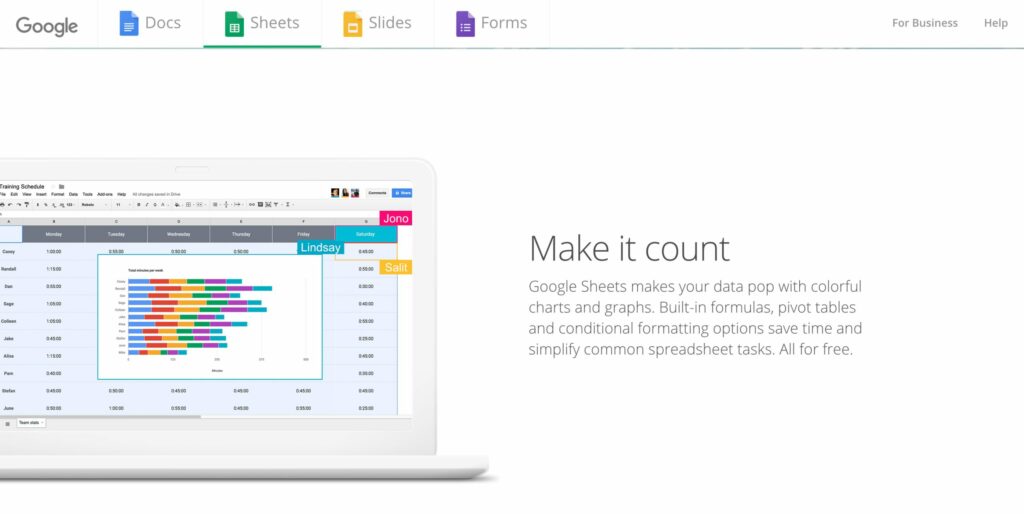
Google Sheets is a cloud-based spreadsheet application that allows multiple users to view and edit data simultaneously. Moving to Sheets solves the immediate problem of emailing files back and forth, but it fundamentally remains a spreadsheet. You are still building a schedule on a static grid rather than a visual timeline.
Pros:
- Real-time collaboration: Multiple people can edit the document at the same time, completely eliminating version control chaos.
- Cost-effective: It is free for individual use and already included in most company Google Workspace plans.
Cons:
- Fragile formatting: With multiple users editing the same document, it is incredibly easy for someone to accidentally delete a core formula or ruin the conditional formatting.
- Still a static grid: It is very difficult to visualize overlapping timelines, capacity, or utilization rates using cells and columns.
Tip: The main reason people love Excel is its versatility. However, that can also be its downfall. Check out some of our specific use cases where Excel just doesn’t, well, excel. Whether you’re working in a lab, in engineering, or in a virtual team, there’s tons of reasons to scout out something better.
3. GanttPRO – Gantt chart project manager alternative to Excel
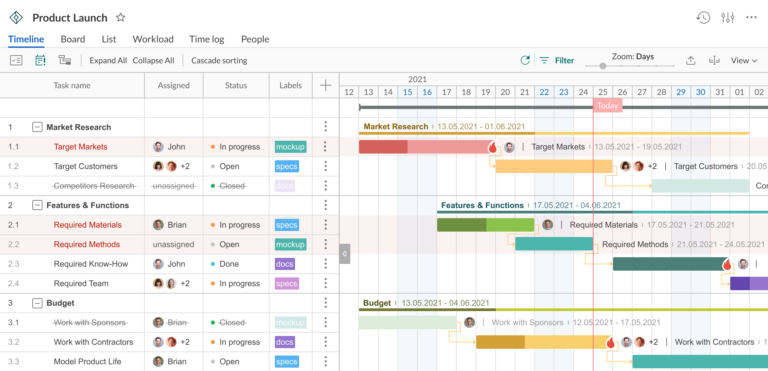
GanttPRO is a project management tool built entirely around the Gantt chart. It is designed for teams that need to visualize timelines, track task dependencies, and break complex projects down into smaller deliverables without enduring a steep learning curve.
Pros:
- MS Project compatibility: GanttPRO allows you to import and export Microsoft Project files seamlessly. This makes it a highly effective transition tool for teams moving away from legacy software.
- Multiple views: While the Gantt chart is the primary focus, the platform includes Board and My Tasks views so individual contributors can manage their daily assignments without having to navigate massive timelines.
Cons:
- Limited integrations: Compared to broader work management platforms, GanttPRO offers a relatively narrow list of direct third-party software integrations.
- Niche focus: Because it is deeply specialized in Gantt chart scheduling, it lacks the broader workflow capabilities found in all-in-one tools. It does not include native invoicing, document proofing, or heavy rule-based automation.
- Seat minimums: Certain subscription tiers enforce a multi-user minimum (often 5 seats), which creates an immediate financial barrier for solo freelancers or very small teams.
Ganttic Case Study – Innopolis Engineering
Using Excel for project management is super common. Especially for many businesses, it’s a seemingly “cheap” tool that they already have installed. However, its ubiquitousness can mean it’s hard to see if your company has “outgrown Excel.”
This was the case for Innopolis Engineering, a Scandinavian Architecture and Engineering Company. Excel was a natural choice for their company in the beginning. But as their team and resources expanded, so did their problems with spreadsheets. Saying:
“When our team grew to more than 10 people, resources management in Excel became too difficult to follow.
Even when we were planning resources with Excel, we had something like Ganttic in mind. We were looking for a resource management tool that looked like Ganttic. Then we came across Ganttic and it felt like a perfect fit. It quickly became our main resource planning tool.”
Read the full case study to learn how they made the switch. Or book a personalized webinar with our customer experience team and find out what Ganttic can do for your team!
4. Scoro – project management dashboard
Scoro is an all-in-one business management software designed primarily for agencies and professional service firms. Rather than just focusing on task scheduling, it combines project management, time tracking, CRM, and billing into a single platform. Scoro is built for leadership teams that need to tie daily project work directly to financial KPIs, allowing them to monitor project profitability, budgets, and resource utilization in real time through highly detailed dashboards.
Pros:
- Financial visibility: It connects your timeline directly to your budget. You can track billable hours, manage expenses, and issue invoices without switching to a separate accounting tool.
- Tool consolidation: By offering CRM, billing, and project management natively, it allows companies to cancel subscriptions to multiple disjointed apps.
Cons:
- Premium pricing: Scoro is priced as a comprehensive enterprise tool. This makes it an expensive option if you only plan to use a fraction of its features for basic scheduling.
- Steep learning curve: Because the system touches every single aspect of your business operations, setting it up requires significant time and dedicated onboarding.
- Overkill for simple needs: If your team just wants a visual alternative to Excel for capacity planning or task scheduling, a full end-to-end business suite will feel incredibly heavy and difficult to adopt.
5. Redbooth – personalized project timelines
Redbooth is a project management and team collaboration platform built heavily around communication. While it provides standard visual dashboards and project timelines to replace basic spreadsheets, its standout feature is its native communication tools. It is particularly well-suited for remote or virtual teams that want to keep their tasks, file sharing, and daily conversations in the exact same application rather than switching between multiple apps.
Pros:
- Built-in video meetings: You can launch video calls directly from the software, keeping team communication tied to the specific project workspace.
- Visual task management: It offers personalized dashboards and timeline views, making it easy to track project statuses and individual workloads at a glance.
Cons:
- Lighter feature set: For highly complex operations, heavy data manipulation, or enterprise-level financial tracking, the platform will likely feel too basic.
- Redundant communication tools: If your company is already heavily invested in Microsoft Teams, Zoom, or Slack, paying for a project tool specifically for its video calling features might not make sense.
- Lacks deep resource planning: It focuses more on daily task collaboration rather than detailed capacity planning, utilization tracking, or managing non-human assets.
6. Quip – collaborate remotely
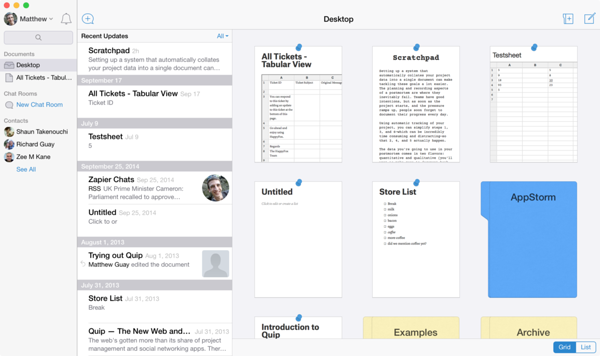
Quip is a collaborative productivity platform that combines documents, spreadsheets, and team chat into a single interface. Rather than sending static files back and forth, teams can create and edit live documents simultaneously. It is designed to reduce internal email chains and status meetings by keeping all project conversations tied directly to the work itself, rather than scattered across different apps.
Pros:
- Real-time collaboration: Multiple team members can view and edit the same document at the exact same time without locking each other out.
- Integrated communication: Every document features a built-in chat thread. This keeps discussions, feedback, and decisions permanently attached to the specific project file.
Cons:
- Lacks visual scheduling: Quip is essentially a highly interactive document editor. It does not offer Gantt charts, timeline views, or resource capacity boards.
- Not a dedicated planner: It is great for creating project briefs and taking meeting notes, but it is not built to manage complex task dependencies or track daily resource utilization.
Read on: Project planning and management in Excel can easily lead to major mistakes for your business. Overbookings, miscommunication, and the hassle of hunting down the “right version” of your plans. See a few more reasons why Excel is a bad habit you should consider quitting.
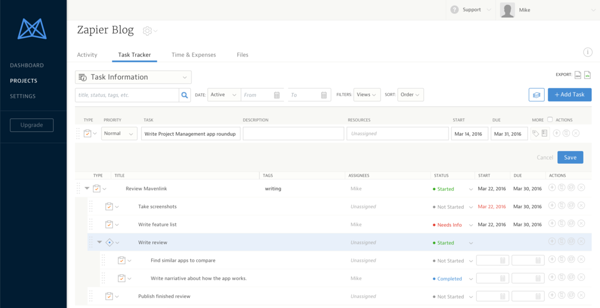
Mavenlink is a project management and resource planning platform built specifically for professional services and client-facing teams. It goes beyond basic task scheduling by connecting resource management directly to financial performance. The platform is designed for organizations that need to track billable hours, project margins, and profitability alongside their daily project timelines, rather than just mapping out generic task lists.
Pros:
- Financial focus: It ties your project progress directly to budgets and profit margins, giving leadership a view of client profitability.
- Project templates: You can save successful project structures and workflows, allowing you to reuse them as a base for future client work and drastically cutting down setup time.
Cons:
- Enterprise pricing: It is geared toward larger agencies and consultancies, making it an expensive and overly complex option for small teams just looking to upgrade from a basic spreadsheet.
- Complex setup: Because it connects daily project data with accounting and financial metrics, the implementation process is heavy and requires dedicated team training.
- Overkill for internal teams: If you do not need to track billable hours, client invoices, or strict profit margins, the financial features will simply clutter your workflow.
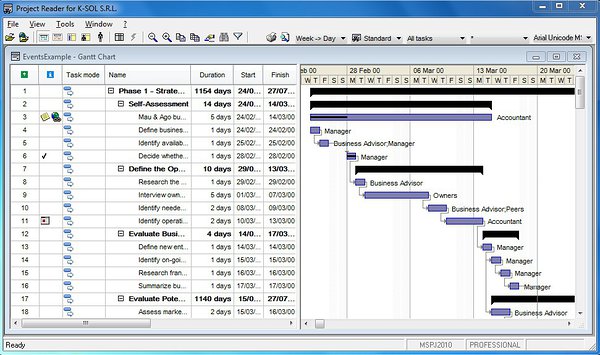
Microsoft Project is an enterprise-grade project portfolio management tool. Rather than a basic task list, it is built for deep, complex scheduling. It provides a highly structured environment where project managers can map out detailed task dependencies, set strict deadlines, and track overall project progress. It is widely considered the industry standard for traditional project managers who need absolute control over large-scale schedules and budgets.
Pros:
- Advanced scheduling: It handles complex timelines, critical path calculations, and intricate task dependencies better than most modern alternatives.
- Microsoft ecosystem: It integrates seamlessly with the rest of the Microsoft 365 suite. This is highly beneficial if your company already relies on Teams, SharePoint, and Power BI.
- Enterprise control: It offers robust tools for strict governance, baseline tracking, and detailed financial reporting.
Cons:
- Expensive licensing: Pricing is tiered and can become very costly, especially when you need to buy individual licenses for every team member who needs to view or update the schedule.
- Steep learning curve: While newer web versions are slightly lighter, the core software is notoriously complex. It is built for trained project managers, not casual users, and usually requires formal training to master.
- Rigid structure: It is built for traditional, highly structured project management phases. It often feels too heavy and inflexible for agile teams or fast-paced daily scheduling.